When do you need a tax invoice, and how is it different from a standard invoice?
If you run a business in Qatar, understanding how invoices work can help you keep accurate records, manage customer transactions, and prepare for applicable tax and invoicing requirements. A tax invoice is a document used to record a business transaction and provide relevant tax information when required under the applicable rules. A standard invoice, on the other hand, may focus primarily on the goods or services sold, their prices, and the amount due.
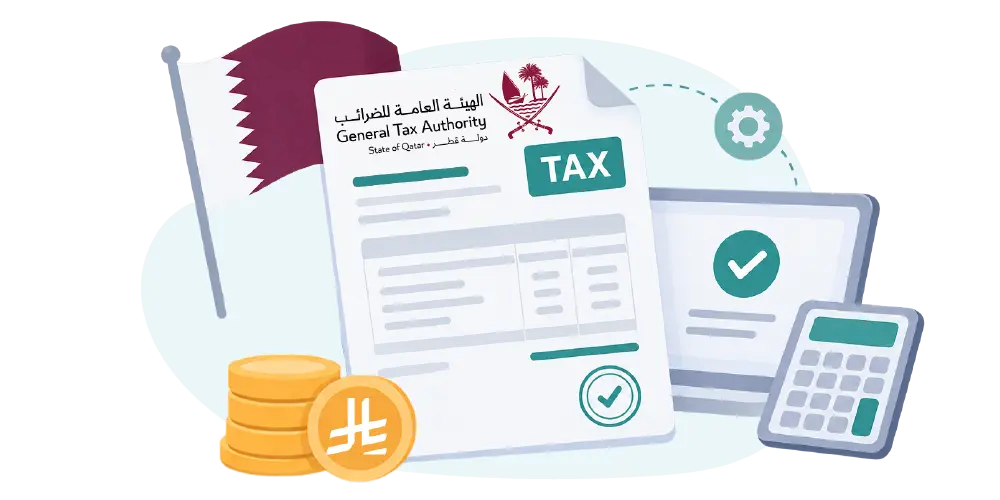
The exact requirements depend on the nature of the transaction, your business circumstances, and the regulations that apply. Businesses should verify the latest official guidance from Qatar’s General Tax Authority (GTA) before treating any particular invoice format or tax field as mandatory.
In this guide, we explain what a Qatar tax invoice is, which details to review, how it differs from a standard invoice, and how to manage invoice creation using Fatora.
A tax invoice is a document that records a sale of goods or services and includes relevant tax information when required by the applicable tax rules.
In practical terms, it helps identify the seller and customer, describe the transaction, show the value of the goods or services, and document any applicable tax details. It also provides a record that businesses can refer to when reviewing transactions or organizing their financial records.
For businesses searching for Qatar tax invoice guidance, it is important to understand that a tax invoice is not simply a document with the word “tax” in its title. Its required contents depend on the applicable regulations and the circumstances of the transaction.
Well-organized invoices help businesses maintain clearer records and reduce the administrative effort involved in managing sales.
These benefits become particularly valuable when a business handles a large number of transactions or works with multiple employees.
However, using invoicing software does not automatically establish compliance with every applicable tax requirement. Businesses should confirm that their invoicing procedures and software settings meet the rules relevant to their activities.
The information required on a tax invoice depends on the applicable rules and the type of transaction. Before publishing or adopting a specific invoice template, businesses should verify the requirements against the latest official GTA guidance.
The following table provides a practical overview of common invoice fields to review. It is a general checklist, not a definitive statement of Qatar’s legally mandatory tax invoice fields.
|
Invoice detail |
Why it matters |
|
Invoice number |
Helps identify and track each invoice |
|
Invoice date |
Records when the invoice was issued |
|
Seller information |
Identifies the business issuing the invoice |
|
Customer information |
Identifies the customer, where required |
|
Description of goods or services |
Explains what was sold or provided |
|
Quantity |
Records the number of items or units of service |
|
Unit price |
Shows the price per item or service |
|
Transaction total |
Summarizes the value of the transaction |
|
Tax information |
Records relevant tax details when applicable |
|
Total amount due |
Shows the amount payable by the customer |
Businesses looking for a Qatar tax invoice template should consider more than the document’s appearance. A template should make transaction details easy to understand and support the applicable requirements.
Before using a template, check the following:
1. Clear business information
Make sure the seller’s details are easy to identify and that the customer information is included where required.
2. Accurate transaction details
Product descriptions, quantities, prices, and totals should reflect the actual transaction.
3. Appropriate tax fields
Include the tax information required for the relevant transaction. Do not assume that a particular tax rate or registration field applies without verifying the applicable rules.
4. Consistent invoice numbering
A clear numbering process makes it easier to locate invoices and review records.
5. Easy storage and retrieval
Choose a format or system that allows your business to keep organized records and retrieve invoices when needed.
A simple template may be sufficient for some basic invoicing needs. However, businesses that issue invoices regularly may benefit from software that centralizes customer information, product details, and invoice records.
A tax invoice and a standard invoice may contain many of the same details, but their purpose and required information can differ.
The main distinction is whether the transaction requires a document containing specific tax information under the applicable rules.
|
Comparison |
Standard invoice |
Tax invoice |
|
Purpose |
Records a sale or service transaction |
Records a transaction with the relevant tax information when required |
|
Information |
Typically includes basic seller, customer, and transaction details |
Includes transaction details and applicable tax information |
|
Tax details |
May not separately show tax information |
Includes relevant tax details when required |
|
Use |
Depends on the transaction and business needs |
Used when the applicable rules require a tax invoice |
It is also important to distinguish a tax invoice from an electronic invoice.
A tax invoice relates to the information and tax requirements associated with a transaction. An electronic invoice, or e-invoice, relates to how invoice information is created, structured, processed, or exchanged electronically.
An invoice may be both tax-related and electronic if it meets the relevant requirements for each. However, saving a document as a PDF does not automatically mean that it satisfies the requirements of a particular electronic invoicing system.
For more information, read our guide to Qatar e-invoicing.

Even small invoicing errors can create extra work for finance teams and make transaction records harder to review. Here are five common issues businesses should watch for.
An invoice with incomplete information may be difficult to verify or may fail to meet the requirements applicable to the transaction.
How to avoid it: Use a consistent invoice template and review the required fields before issuing each invoice.
Typing customer information manually for every transaction increases the risk of mistakes. Duplicate invoice numbers can also make it harder to track records.
How to avoid it: Keep customer information organized, use a consistent numbering process, and verify key details before issuing an invoice.
Incorrect tax treatment or calculation can create problems when reviewing financial records.
How to avoid it: Confirm which tax rules apply to your business and the transaction. Configure your invoicing system accordingly, and seek professional advice when a tax treatment is unclear.
Do not assume that a particular tax rate applies in Qatar without checking the current official position.
Entering the same customer, product, and pricing information into multiple documents wastes time and increases the chance of errors.
How to avoid it: Use a system that allows your business to maintain customer and product records and reuse them when creating invoices.
When different employees use different templates, invoice records may become difficult to review and manage.
How to avoid it: Standardize your invoice format and establish a consistent process for creating, reviewing, and storing invoices.
A well-organized invoicing workflow can make these tasks easier, particularly as your business grows.
Fatora provides invoicing tools that help businesses organize invoice creation and manage transaction information. The following steps describe a general workflow; the exact interface and available options may vary depending on your account configuration and the features enabled.
Log in to your Fatora account and navigate to the invoicing section.
Starting from your existing account allows you to work within your current invoicing setup rather than managing every transaction through a separate document.
Choose the option to create a new invoice and select the relevant customer.
If the customer’s information is already saved in your account, review those details before using them. Keeping customer records organized can reduce repeated data entry.
Add the products or services included in the transaction, then enter the relevant quantities and prices.
Review the descriptions carefully to make sure the invoice reflects what was actually sold or provided.
Before issuing the invoice, check the following:
Taking a moment to review these details can help prevent avoidable corrections later.
Once the information has been reviewed, complete the issuing process using the options available in your Fatora account.
Keep your invoice records organized so that you can retrieve them when reviewing transactions or following up on customer payments.
Create a Tax Invoice with Fatora to explore the invoicing tools available for your business.
If your business needs to investigate integration with GTA, visit the Fatora GTA Integration page to review the available information and next steps.
The integration process and any technical or regulatory requirements should be confirmed using the current product documentation and official guidance.
A tax invoice is a document used to record a transaction and provide relevant tax information when required by the applicable rules. The exact requirements depend on the transaction and the business’s circumstances, so businesses should consult the latest official GTA guidance.
Common invoice details to review include the invoice number and date, seller and customer information, descriptions of goods or services, quantities, prices, transaction totals, and relevant tax information.
This is a general checklist rather than a definitive legal list. Confirm the mandatory fields applicable to your business with the appropriate official source.
Yes, invoicing software can help organize customer records, product information, invoice details, and transaction records. However, you should confirm that the software’s features and configuration meet the requirements applicable to your business.
Fatora provides invoicing tools for businesses. Check the features available in your account to determine how customer and product information can be managed and reused when creating invoices.
How can I explore GTA integration through Fatora?
Visit the GTA Integration page to review the available integration information and determine the appropriate next steps for your business.
Before proceeding, verify the relevant requirements and confirm any account-specific setup instructions.
Start with the official information published by Qatar’s General Tax Authority. You can also explore these related Fatora resources:
These resources can help you understand related invoicing and tax topics, but official guidance should be used to verify current legal and regulatory requirements.
Understanding Qatar tax invoice requirements starts with knowing what information your business needs to record and how invoices should be managed. Clear invoice details, consistent numbering, accurate transaction information, and organized records can all contribute to a more efficient invoicing process.
For businesses issuing invoices regularly, using invoicing software can reduce repetitive manual work and make customer, product, and transaction information easier to manage.
The most important step is to ensure that your invoicing process reflects the rules that actually apply to your business. Verify tax-related requirements with GTA, and confirm that your chosen software and configuration support your operational needs.
Explore GTA Integration: Visit the Fatora GTA Integration page to learn more about the available integration path and the next steps for your business.

مختص بالتجارة الإلكترونية، صناعة المنتجات و ريادة الأعمال، تواصل معي ان احتجت لأي مساعدة! #AskWaleed