menu
 New
New
Lang
ع

The Fatora platform offers a wide range of payment options, providing customers with a seamless payment experience that meets their diverse needs. With this feature, you can support popular payment methods such as credit cards, digital wallets, bank transfers, PayPal, and even QR codes, enhancing customer satisfaction and boosting sales completion rates. Available Payment Options with Fatora 1. Credit Card Payments The system supports Visa, MasterCard, and American Express, allowing customers to pay effortlessly using their bank cards. 2. Digital Wallet Payments Activate payment options via: Apple Pay Google Pay Samsung Pay These solutions provide a convenient and secure payment experience via smartphones. 3. Bank Transfer Payments The system allows you to accept payments via direct bank transfers, making it an ideal option for large or international transactions. 4. PayPal Payments Customers can pay using PayPal, one of the most trusted and widely used online payment solutions worldwide. 5. QR Code Payments Customers can scan a QR code using their mobile phones to complete payments quickly and easily, improving the user experience and reducing manual input. How to Activate Payment Options on Fatora 1. Log into Your Account Open the Fatora platform via the website or mobile app and log in. 2. Go to Payment Settings From the dashboard, navigate to “Payment Settings” to view available options. 3. Enable the Desired Payment Methods Choose the payment methods you want to offer, such as: Credit cards Digital wallets Bank transfers PayPal QR codes 4. Customize Payment Options Personalize payment notifications and messages for each method to enhance the customer experience. 5. Save Changes Click “Save” to apply the new settings successfully. Benefits of Offering Multiple Payment Options with Fatora Greater Flexibility for Customers Providing multiple payment options allows customers to choose their preferred method, making transactions more convenient. Higher Sales Completion Rates Offering diverse payment options reduces cart abandonment rates and increases successful transactions. Enhanced Customer Experience Offering flexible and secure payment solutions builds customer trust and satisfaction. Global Market Expansion Supporting international payments via PayPal and multiple currencies allows businesses to reach new markets. Conclusion With Fatora, you can offer various payment options that cater to your customers' different needs, enhancing their payment experience, increasing sales rates, and improving customer loyalty. This flexibility allows you to expand your business effortlessly and provide a secure and seamless payment experience across different markets.
Read more
The Fatora platform supports payments through QR codes, offering customers a fast and secure way to complete transactions using their mobile devices. This feature enhances payment efficiency and reduces reliance on traditional methods, making it ideal for retail stores and online businesses. Benefits of QR Code Payments with Fatora 1. Ease of Payment Customers can scan the QR code to complete payments quickly without the need to enter card details. 2. High Security Transactions are protected by data encryption, ensuring that financial information is safe from theft or fraud. 3. Seamless Integration QR codes can be easily integrated into Fatora's payment systems without technical complications. 4. Local and International Payment Support The feature enables payments from anywhere in the world, improving customer convenience and expanding business reach. How to Enable QR Code Payments on Fatora 1. Log Into Your Account Access Fatora via the website or app and log into your account. 2. Go to Payment Settings From the dashboard, select "Payment Settings." 3. Activate QR Code Payment Option Enable QR code payments and customize the message or details displayed upon scanning the code. 4. Generate a QR Code for Each Transaction When completing a sale, create a unique QR code to display on the payment screen or print on the receipt. 5. Test the Service Verify the functionality of the QR code by scanning it and performing a test payment. Tips for Improving the QR Code Payment Experience Ensure Clarity: Make sure the QR code is clear and high-quality when displayed or printed. Keep Apps Updated: Regularly update your application to support the latest QR code payment technologies. Enable Instant Notifications: Use alerts to confirm payment receipt and notify you immediately upon transaction completion. Does Fatora support payments via QR codes?
Read more
The Fatora system allows you to easily link your bank account to your platform, simplifying the process of receiving and managing payments. This feature provides automated financial tracking, reducing the need for manual verification and ensuring a seamless experience for your customers. Steps to Link Your Bank Account to Fatora 1. Log Into Your Account Open the Fatora platform via the official website or app. Log in using your account credentials. 2. Navigate to Payment Settings From the dashboard, select "Payment Settings" to view the linking options. 3. Choose "Add Bank Account" Click on "Add Bank Account" to start the linking process. 4. Enter Bank Account Details Accurately fill in the required information: Bank name. Bank account number. IBAN (if applicable). Account holder's name. 5. Verify Information Double-check the entered details to ensure error-free linking. 6. Save Settings Click "Save" to activate the link and enable payment reception via your bank account. 7. Conduct a Test Transaction Perform a test payment to confirm that the system is functioning correctly and payments are automatically recorded. Benefits of Linking Your Bank Account to Fatora 1. Simplified Payment Process Payments are transferred directly to your bank account without complex manual steps. 2. Accurate Financial Reports Automatic updates of payment statuses in the system make financial reporting seamless. 3. Transaction Security Fatora uses advanced encryption technologies to ensure the security of customer data and banking transactions. 4. Time-Saving Reduces the time spent verifying payments, allowing you to focus on efficiently managing your business. Tips for a Successful Account Link Ensure Data Accuracy: Enter bank account details accurately to avoid delays or transaction errors. Monitor Notifications: Regularly check payment notifications to track new payments. Periodic Updates: Review and update your bank account details in the system as needed. Conclusion Fatora simplifies the process of linking your bank account with easy steps via the dashboard. This feature allows you to improve your customers' payment experience, enhance the efficiency of payment management, and maintain secure and organized financial flows. By adopting this functionality, you can boost your business success and increase customer satisfaction.
Read more
Online transactions are a quick and convenient way to pay and receive money, but they require strict security measures to avoid fraud and breaches. By following best security practices, you can safeguard your business and customer data from cyber threats. Steps to Protect Online Transactions 1. Use Trusted and Certified Payment Gateways Opt for payment gateways compliant with global security standards (PCI DSS) that provide strong encryption. Ensure the gateway supports multi-factor authentication (2FA) for added security. 2. Enable Two-Factor Authentication (2FA) Activate 2FA to secure your account. This feature requires a verification code sent to your mobile device alongside your password. 3. Use Strong Passwords Create complex passwords containing uppercase and lowercase letters, numbers, and symbols. Change passwords regularly and avoid using common or repetitive ones. 4. Keep Systems and Security Software Updated Regularly update operating systems and applications to fix security vulnerabilities. Use antivirus software and firewalls to protect devices from malware. 5. Monitor Suspicious Activities Review financial reports and transactions periodically to detect unusual activities. Report any unauthorized transactions to your service provider immediately. 6. Avoid Sharing Sensitive Information Never share card details or passwords with untrusted parties. Always ensure the website has an HTTPS protocol to secure the connection. 7. Educate Your Team Train your team to handle online transactions securely and recognize fraudulent activities. Additional Security Tips Enable instant payment notifications to stay updated on new transactions. Set daily or monthly transaction limits to prevent large unauthorized payments. Maintain regular backups of transaction data to ensure its safety in case of cyberattacks. Conclusion Protecting your online transactions starts with implementing essential security practices like using trusted payment gateways, enabling two-factor authentication, and monitoring financial activities. By enhancing your cybersecurity awareness and adopting preventive measures, you can reduce risks, ensure the safety of your transactions, and protect both your data and your customers'.
Read more
Fatora’s payment system complies with the PCI DSS standards (Payment Card Industry Data Security Standard), a global framework designed to secure customer financial data during electronic payment processing. This compliance ensures the safety of financial transactions and protects customer data from cybersecurity threats. What is PCI DSS? PCI DSS is a set of policies and procedures aimed at: Encrypting sensitive data: Securing cardholder information during transmission and storage. Access control: Ensuring only authorized entities have access to financial data. Continuous security updates: Protecting against modern attacks and cybersecurity threats. How Fatora’s Payment System Complies with PCI DSS 1. Data Encryption Advanced encryption techniques are used to safeguard cardholder data and transactions during transmission. 2. Secure Access Management Access to payment data is strictly monitored and limited to authorized personnel. 3. Modern Security Protocols Fatora uses up-to-date protocols like TLS to ensure secure data transfer over the internet. 4. Regular Security Testing Conducting regular security audits and tests to identify and eliminate vulnerabilities. Benefits of PCI DSS Compliance in Fatora’s Payment System 1. Customer Data Protection Ensures sensitive customer information, such as card details, is safe from theft or fraud. 2. Building Trust Enhances customer confidence by providing a secure and globally compliant payment system. 3. Reduced Security Risks Protects the system from cybersecurity attacks and minimizes the likelihood of breaches. 4. Regulatory Compliance Assists businesses in adhering to data security and payment regulations. Conclusion Fatora’s payment system adheres to PCI DSS standards, guaranteeing the highest level of security for customer data and financial transactions. This compliance enables business owners to offer secure and reliable electronic payment services, fostering customer trust, reducing cybersecurity risks, and providing a smooth and safe payment experience.
Read more
Fatora provides advanced tools for easily and efficiently tracking received payments, allowing you to monitor cash flow accurately and organize sales operations professionally. Through the dashboard, you can view all incoming payments made via credit cards, digital wallets, bank transfers, or cash payments. Steps to Track Received Payments with Fatora 1. Log into Your Account Open the official Fatora website or app. Log in to your account with your credentials. 2. Go to the Financial Reports Section From the dashboard, navigate to "Reports" or "Revenues and Payments." Select "Payment Report" to view all received payments. 3. Customize the Report Use filter options to specify: Time period. Payment method. Branch (if managing multiple locations). View reports by transaction date, customer, or service type. 4. Review Payment Details Reports display comprehensive details, including: Customer name. Transaction date. Amount paid. Payment method. Payment status (completed, pending, or declined). 5. Export the Report To save a copy of the report: Export it as a PDF or Excel file. Share it with your team or accountant as needed. Advantages of Tracking Payments with Fatora Organized Management: Automatically records and organizes all payments systematically. Real-Time Updates: Payment statuses are updated instantly, ensuring accurate tracking. Detailed Reporting: Generate customized reports to analyze daily or monthly cash flow. Monitor Payment Methods: Identify the most commonly used payment methods to develop customer-friendly payment strategies. Tips for Effective Payment Management Regularly Review Reports: Identify peak financial periods with high cash flow. Set Up Alerts: Receive notifications for new payments or delayed transactions. Update Bank Details: Ensure your banking information is up-to-date to avoid payment issues. Conclusion With Fatora, you can easily track received payments through a comprehensive dashboard and detailed reports. These tools enable you to monitor revenue, analyze sales performance, and organize cash flow efficiently. By leveraging these features, you can strengthen your business's financial stability and make informed decisions to drive success. Start now by tracking your payments with Fatora and experience professional financial management! 🚀
Read more
Fatora provides a variety of electronic payment methods to meet the needs of business owners and customers. These options allow you to easily and securely receive payments online from anywhere, enhancing user experience and increasing the completion rate of transactions. Electronic Payment Methods Supported by Fatora 1. Credit and Debit Cards Supported Types: Visa MasterCard American Express Benefits: Enables seamless and fast payment processing from customers worldwide. 2. Digital Wallets Supported Systems: Apple Pay Google Pay Samsung Pay Benefits: Provides a convenient and secure payment experience using smartphones, simplifying the payment process. 3. Bank Transfers Description: Customers can pay by transferring funds directly from their bank accounts to the store's account. Benefits: Ideal for customers who prefer traditional bank transactions. 4. PayPal Payments Description: Fatora integrates with PayPal, one of the most popular global payment platforms. Benefits: Allows customers to easily pay using their PayPal accounts, enhancing trust in transactions. 5. Local Payment Systems Examples of Local Systems: Mada (Saudi Arabia) Fawry (Egypt) Benefit (Bahrain) Benefits: Caters to the needs of local customers, providing a familiar and easy payment experience. Advantages of Electronic Payment Methods on Fatora High Security: The platform uses advanced encryption technologies to protect customer data and transactions. Flexible Options: Offers multiple payment choices, ensuring convenience for customers. Anywhere Payments: Customers can complete payments easily online without needing to visit the store in person. Seamless Integration: Electronic payment methods integrate smoothly with your e-commerce platform and POS system. How to Enable Electronic Payment Methods on Fatora 1. Log into Your Account Open the official Fatora website and log in to your dashboard. 2. Go to Payment Settings From the main menu, select "Payment Settings." 3. Activate Payment Methods Choose the desired payment methods, such as bank cards, digital wallets, or PayPal. 4. Save Changes Click "Save" to apply the new settings. Conclusion Fatora offers a wide range of electronic payment methods, including credit cards, digital wallets, bank transfers, PayPal, and local payment systems. These diverse options ensure a secure and smooth payment experience, increasing sales completion rates, boosting revenues, and enhancing customer loyalty.
Read more
Matching your business bank account is very important.👥🏦✅ This helps you better organize your payments, expenses, and taxes. It also protects you from any legal violations or problems related to bank transfers
Read more
Asking the customer to send an email with the request from the registered email I then sending him a request form to change the data to be signed told that the process takes four working weeks
Read more
You can follow the steps shown through the following link: https://fatora.io/api/shopify.php If you have any inquiries, please contact us via email: [email protected]
Read more
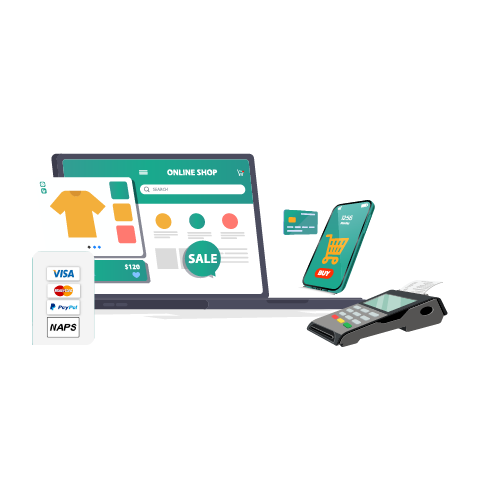
Set of tools that help you sell your product and services online
Register now FREE